Jump to content
View in the app

A better way to browse. Learn more.

Castle Duncan Forums

A full-screen app on your home screen with push notifications, badges and more.

To install this app on iOS and iPadOS
  1. Tap the Share icon in Safari
  2. Scroll the menu and tap Add to Home Screen.
  3. Tap Add in the top-right corner.
To install this app on Android
  1. Tap the 3-dot menu (⋮) in the top-right corner of the browser.
  2. Tap Add to Home screen or Install app.
  3. Confirm by tapping Install.

A few new additions to my tools

Featured Replies

  • Admin

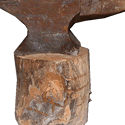
A over 200 lb industrial swage block at least a hundred years old, don't know for sure, with no name so far, still looking.


This one is 15 x 15 x 41/2 inches

Swage_Block5.jpg


and a rare (at least to me and several other people) Tong from the Rotary Linch Tong co. I have tried this jewel out and it is astounding how well it works.

The company now makes oilfield tools to retrieve broken and or lost bits in drill holes.
 

Tong_2.jpg


Tong_1.jpg

Please sign in to comment

You will be able to leave a comment after signing in

Sign In Now

Account

Navigation

Search

Configure browser push notifications

Chrome (Android)
  1. Tap the lock icon next to the address bar.
  2. Tap Permissions → Notifications.
  3. Adjust your preference.
Chrome (Desktop)
  1. Click the padlock icon in the address bar.
  2. Select Site settings.
  3. Find Notifications and adjust your preference.